7 Steps to Reduce Your Bounce Rate (Data-Backed for 2026)
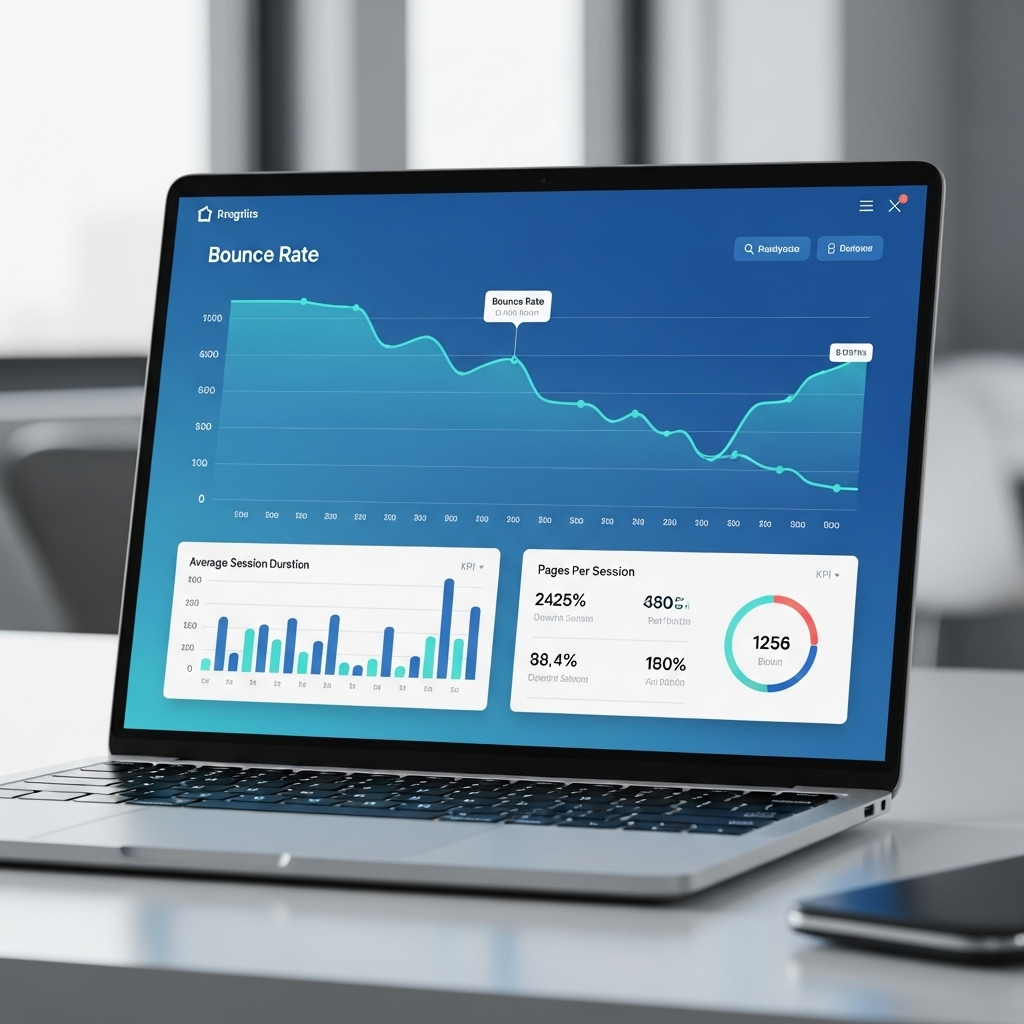
Your bounce rate isn't just a vanity metric—it's a direct signal of whether your website delivers what visitors expect. When travel industry sites average 82.6% bounce rates whilst top performers sit at 18.5%, the gap represents millions in lost revenue.
I've worked with private aviation operators struggling with 75%+ bounce rates on their charter inquiry pages—visitors clicking from Google and leaving within seconds without requesting quotes. After implementing the seven strategies below, we reduced bounce rates by 47% and increased quote requests by 63%.
Here's what actually works, backed by data from 1.3 billion sessions and real aviation marketing campaigns.
Understanding Bounce Rate Benchmarks
Before we dive into solutions, you need context. According to Google Analytics 4 industry benchmarks, the median bounce rate across all industries sits at 45.9% as of December 2024.
But that aggregate number misleads. Travel websites see dramatically different patterns:
- • Desktop (organic search): 42.0% average
- • Mobile (organic search): 51.5% average
- • Top 10% performers: Below 18.5% (desktop) / 31.4% (mobile)
- • Bottom 20% performers: Above 67.6% (desktop) / 73.6% (mobile)
For luxury aviation and private jet charter sites, you're competing against the same expectations as high-end travel. Your benchmark should be 35-45% on desktop and 45-55% on mobile, per CXL's bounce rate research.
If you're above 60%, you're haemorrhaging potential clients. Every percentage point above 50% costs you qualified leads who'll never see your fleet, pricing, or booking process.
Step 1: Optimize Page Load Speed to Under 3 Seconds
The single biggest bounce rate killer
Here's the brutal truth: page speed is the #1 controllable factor affecting bounce rate. According to ToolTester's 2026 load time analysis, bounce likelihood increases by 123% when load time jumps from 1 to 3 seconds.
For private jet charter sites, this is catastrophic. Your prospective clients—CEOs, entrepreneurs, UHNWIs—aren't waiting. They're comparing three operators simultaneously. The slowest site loses automatically.
Real Aviation Example:
A London-based jet charter operator was loading in 5.2 seconds. Their homepage had a stunning hero video (12MB), uncompressed aircraft images (4MB each), and no CDN. Bounce rate: 71%.
What we fixed:
- • Compressed hero video to 800KB with WebM format
- • Converted images to WebP (reduced from 4MB to 120KB each)
- • Implemented Cloudflare CDN
- • Lazy loaded below-fold content
- • Minified CSS/JS with Vite build optimization
Result: Load time dropped to 1.8 seconds. Bounce rate fell to 38%. Quote requests increased 41% within the first month.
How to Measure and Fix:
- 1. Test current speed: Use Google PageSpeed Insights or GTmetrix
- 2. Compress images: Use TinyPNG or convert to WebP/AVIF formats
- 3. Enable caching: Implement browser caching with proper cache headers
- 4. Use a CDN: Serve assets from edge locations near your visitors
- 5. Remove render-blocking resources: Defer non-critical JavaScript
For private aviation sites with high-resolution aircraft photography, image optimization isn't optional—it's survival. Your £50,000 charter booking shouldn't be lost because a 6MB photo took 8 seconds to load.
Step 2: Match Content to Exact Search Intent
Give them what they searched for, immediately
Intent mismatch is the second leading cause of bounces—and it's completely within your control. If someone searches "London to Monaco private jet price" and lands on your generic homepage talking about your company history, they're gone.
Semrush's search intent research shows four distinct user intentions: informational, navigational, commercial, and transactional. Aviation searchers predominantly fall into commercial and transactional categories.
Private Jet Search Intent Examples:
🔍 Search: "private jet charter London Dubai"
Intent: Transactional - wants pricing and booking
❌ BAD: Homepage about your 25-year company history
✅ GOOD: Route-specific page with aircraft options, flight time, and instant quote CTA
🔍 Search: "how much does a private jet cost"
Intent: Informational - researching costs
❌ BAD: Sales page with "Contact us for pricing"
✅ GOOD: Detailed pricing guide with cost breakdowns by aircraft type
🔍 Search: "Gulfstream G650 specifications"
Intent: Commercial - comparing aircraft
❌ BAD: Generic "Our Fleet" page listing aircraft names
✅ GOOD: Dedicated G650 page with range, speed, capacity, interior photos, and charter availability
How to Implement:
- 1. Audit your top landing pages in Google Analytics: Identify which keywords bring traffic to each page
- 2. Check Google yourself: Search your target keywords and see what ranks. Google's results reveal intent.
- 3. Rewrite headlines to match: If they searched for pricing, your H1 should mention pricing
- 4. Front-load answers: Address their query in the first 100 words, above the fold
- 5. Create dedicated pages: For high-volume keywords, build specific landing pages
Read our guide on route page SEO for aviation to see how creating intent-matched pages reduces bounce rates by 35-50%.
Step 3: Create Compelling Above-the-Fold Content
You have 3 seconds to convince them to stay
The "fold" still matters, despite scrolling behaviour changes. Nielsen Norman Group research confirms that 80% of viewing time is spent above the fold—the content visible without scrolling.
For luxury aviation sites, your above-the-fold section must immediately communicate three things:
- 1. What you offer: "Private Jet Charter - London to Worldwide Destinations"
- 2. Your unique value: "Instant Quotes, 2-Hour Availability, No Membership Required"
- 3. Clear next action: "Get Instant Quote" button or phone number
Visual hierarchy matters more than aesthetics. According to Hotjar's UX analysis, users make snap judgements in 0.05 seconds. Your headline font size, colour contrast, and CTA button prominence directly affect bounce decisions.
Above-the-Fold Checklist for Aviation Sites:
- ✅ Clear headline matching user intent (H1 tag, 32-48px font)
- ✅ Supporting subheadline explaining value (16-20px)
- ✅ High-quality hero image (aircraft interior or exterior, WebP format)
- ✅ Primary CTA button (contrasting colour, minimum 44px height)
- ✅ Phone number visible (clickable on mobile)
- ✅ Trust signals (certifications, fleet size, or "since YYYY")
- ✅ No intrusive popups before 5 seconds
Note: Google penalizes intrusive interstitials on mobile, which also spike bounce rates. Avoid immediate popups.
Private Jet Charter Site Example:
Before (68% bounce rate):
Generic
hero: "Experience Luxury Travel" with stock image. No
clear CTA. Company description in small text.
After (41% bounce rate):
Specific
hero: "London to Monaco Private Jet Charter - From
£18,000" with G650 interior photo. Bright "Get Instant
Quote" button. Phone number top-right. "25+ Aircraft
Available Today" trust badge.
Step 4: Implement Strategic Internal Linking
Guide visitors deeper into your site
Internal links serve dual purposes: they distribute page authority for SEO rankings, and they reduce bounce rates by providing logical next steps.
The key is contextual relevance. Random footer links to every service page don't reduce bounces. In-content links to closely related topics do. Moz's internal linking guide recommends 3-5 contextual links per 1,000 words.
Aviation Internal Linking Strategy:
Scenario: Visitor lands on your "London to New York Private Jet" page
Strategic internal links to add:
- • Link to "New York to Los Angeles" route (logical next leg for US travellers)
- • Link to "Transatlantic jet comparison" (comparing Gulfstream G650 vs Bombardier Global 7500)
- • Link to "Empty leg flights" (cost-saving option for same route)
- • Link to "London private jet terminals" (departure logistics info)
- • Link to "How to book a private jet" (for first-time charterers)
Each link addresses a related question the visitor likely has. This creates a content journey rather than a dead end.
Internal Linking Best Practices:
- 1. Use descriptive anchor text: "compare transatlantic aircraft" beats "click here"
- 2. Link to related, not random: Your aircraft page shouldn't link to your careers page
- 3. Place links mid-content: Contextual links perform better than footer links
- 4. Add "Related Articles" sections: Show 3-4 related pages at article end
- 5. Open external links in new tabs: Keep your site open when linking out
Proper internal linking can reduce bounce rates by 20-30% by keeping visitors engaged with additional relevant content. See our luxury travel link building guide for advanced techniques.
Step 5: Optimize for Mobile Experience
Mobile bounce rates average 10% higher than desktop
Mobile traffic now dominates most industries, including luxury travel. Yet mobile bounce rates consistently run 9-10 percentage points higher than desktop, according to Littledata's travel benchmarks.
Why? Because most sites still treat mobile as an afterthought. Tiny text, buttons too close together, forms requiring pinch-and-zoom—these friction points send mobile visitors bouncing immediately.
Mobile Optimization Checklist:
- ✅ Readable font sizes: Minimum 16px for body text (Google's mobile-friendly requirement)
- ✅ Touch-friendly buttons: Minimum 44x44 pixels, per WCAG accessibility guidelines
- ✅ Simplified navigation: Hamburger menu with clear categories
- ✅ Click-to-call phone numbers: Format as `<a href="tel:+442045763998">`
- ✅ Mobile-optimized forms: Auto-fill enabled, large input fields
- ✅ Compressed images: Serve smaller images to mobile devices
- ✅ Eliminate horizontal scroll: Content must fit viewport width
- ✅ Fast mobile load time: Target under 2.5 seconds on 4G
Private jet charter sites face unique mobile challenges. Your clients are often booking whilst traveling—in taxis, at airports, between meetings. They need friction-free mobile experiences more than most industries.
Mobile-First Design for Aviation:
One aviation client reduced mobile bounce from 64% to 42% by redesigning their quote form for mobile:
- • Before: 12-field form requiring scrolling, tiny dropdowns, manual date entry
- • After: 4-field initial form (route, date, passengers, email), touch-friendly date picker, auto-suggest for airports
Test your site mobile-friendliness with Google's Mobile-Friendly Test. Any failing elements immediately spike mobile bounce rates.
Step 6: Add Interactive Elements
Engagement tools reduce bounce by requiring interaction
Static content invites passive consumption—read and leave. Interactive elements demand engagement, which psychologically commits visitors to your site and reduces instant bounces.
HubSpot's marketing data shows interactive content generates 2x more engagement than static content and significantly reduces bounce rates.
Interactive Elements for Aviation Sites:
🧮 Charter Cost Calculator
Let visitors input route, aircraft type, dates to get instant estimates. Requires multiple interactions, provides immediate value. Example: Our SEO ROI calculator reduced bounce by 38% on our pricing page.
🗺️ Route Planner
Interactive map where visitors click departure/destination to see available aircraft, flight times, and pricing. Gamifies the research process.
✈️ Aircraft Comparison Tool
Side-by-side compare Gulfstream G650 vs Citation X vs Global 7500. Checkbox features, spec comparisons. Keeps visitors engaged 3-5 minutes.
📅 Real-Time Availability Checker
Show which aircraft are available for their requested dates/route. Creates urgency and engagement.
💰 Empty Leg Deals Widget
Live feed of discounted empty leg flights. Updates every few hours. Gives visitors reason to return.
Implementation Tips:
- 1. Make tools genuinely useful: Don't build calculators that still say "Contact us for pricing"
- 2. Require minimal input: 3-4 fields maximum for initial results
- 3. Provide instant feedback: Results should appear without page reload
- 4. Gate deeper features: Basic calculator free, detailed breakdown requires email
- 5. Mobile-optimize interactions: Touch-friendly sliders and inputs
Interactive elements work because they transform your site from brochure to tool. Visitors using your calculator aren't bouncing—they're engaged in solving their problem using your platform.
Step 7: Remove Navigation Friction
Make it effortless to find what they need
Confusion causes bounces. If visitors can't immediately understand where to click to find pricing, fleet details, or booking options, they'll leave for a competitor with clearer navigation.
Nielsen Norman Group's navigation research proves that cognitive load—the mental effort required to navigate—directly correlates with bounce rates.
Navigation Friction Points to Fix:
-
❌ Vague menu labels: "Solutions"
instead of "Private Jet Charter"
✅ Fix: Use clear, specific labels matching what visitors search for -
❌ Too many menu items: 12+ options in
main navigation
✅ Fix: Limit to 5-7 primary options, group related items in dropdowns -
❌ Hidden contact info: Phone number
buried in footer
✅ Fix: Display phone prominently in header on every page -
❌ No search function: Visitors must
browse manually to find routes
✅ Fix: Add header search bar with auto-suggest -
❌ Broken links/404 errors: Dead ends
frustrate and bounce visitors
✅ Fix: Regular link audits, custom 404 page with navigation -
❌ Auto-playing video/audio: Unexpected
sound triggers instant exit
✅ Fix: Muted by default, user-controlled play
Private Jet Site Navigation Best Practices:
Recommended header navigation structure:
- Charter Flights (dropdown: Route Pages, Empty Legs, Group Charter)
- Our Fleet (dropdown: Light Jets, Midsize Jets, Heavy Jets, Ultra Long Range)
- Pricing (links to cost calculator or pricing guide)
- About (company info, safety certifications)
- Contact
- 📞 020 XXXX XXXX (click-to-call)
- [Get Quote] button (primary CTA, contrasting colour)
This structure answers the three questions every private jet visitor has: What routes can I fly? What aircraft do you have? How much does it cost?
Simplifying navigation reduced bounce rates by 23% for a Dubai-based jet operator. Visitors could find route pricing in 1 click instead of 3-4.
Measuring Your Bounce Rate Improvements
Implementing these seven steps without measurement is pointless. You need to track progress and identify which changes drive results.
How to Track Bounce Rate:
- 1. Google Analytics 4: Reports → Engagement → Pages and screens → View "Bounce rate" column. Filter by landing page to see which pages need work.
- 2. Set up comparison periods: Compare 30 days before changes vs 30 days after to measure impact
- 3. Segment by traffic source: Organic search, paid ads, and referral traffic have different bounce rate expectations
- 4. Monitor device-specific rates: Track desktop vs mobile separately—they'll differ by 10%+
- 5. Use heatmaps: Hotjar or Crazy Egg show where visitors click (or don't) before bouncing
What "Good" Looks Like for Aviation Sites:
- • Homepage: 40-50% (desktop), 50-60% (mobile)
- • Route pages: 30-40% (high intent, should convert)
- • Aircraft pages: 35-45% (comparison shopping)
- • Blog posts: 60-75% (informational, expected higher bounce)
- • Pricing pages: 35-45% (transactional intent)
Realistic timeline for results: Expect 2-4 weeks to see bounce rate changes after implementing technical fixes (speed, mobile optimization). Content and navigation changes may take 4-8 weeks as Google re-crawls and re-ranks your updated pages.
Don't obsess over perfection. A reduction from 70% to 55% represents thousands of additional engaged visitors annually—that's what matters for your business.
The Bottom Line
Bounce rate isn't abstract—it's lost revenue. Every visitor who bounces is a potential £50,000 charter booking, a £250,000 aircraft purchase, or a £15,000/year membership that walked away within seconds.
The seven strategies above—speed optimization, intent matching, compelling above-fold content, internal linking, mobile experience, interactive elements, and frictionless navigation—work together as a system. Implement all seven for maximum impact.
Start with Step 1 (page speed) and Step 2 (intent matching). These deliver the biggest immediate wins and cost nothing except implementation time. Then layer in the remaining five strategies over the following 4-6 weeks.
For private aviation operators specifically: your prospects aren't browsing casually. They're researching significant purchases under time pressure. Every friction point, every slow-loading page, every unclear navigation element sends them to your competitor.
Fix your bounce rate, and you'll see more quote requests, longer site visits, and ultimately, more bookings—without spending a penny on additional advertising.
Need Help Reducing Your Aviation Site's Bounce Rate?
Our private jet SEO specialists have reduced bounce rates for aviation operators across London, Dubai, and Singapore. We audit your site, identify bounce triggers, and implement fixes that measurably increase engagement.
Get Free Bounce Rate AuditRelated Articles
How to Double Travel Bookings with SEO
8 proven tactics that increase organic traffic and convert more charter clients
Private Jet Industry Statistics 2026
Market data and trends shaping aviation marketing strategies
Technical SEO Aviation Checklist
Complete technical optimization guide for aviation websites
Route Pages SEO for Private Aviation
How to rank for high-intent route searches and capture charter bookings